
Staff

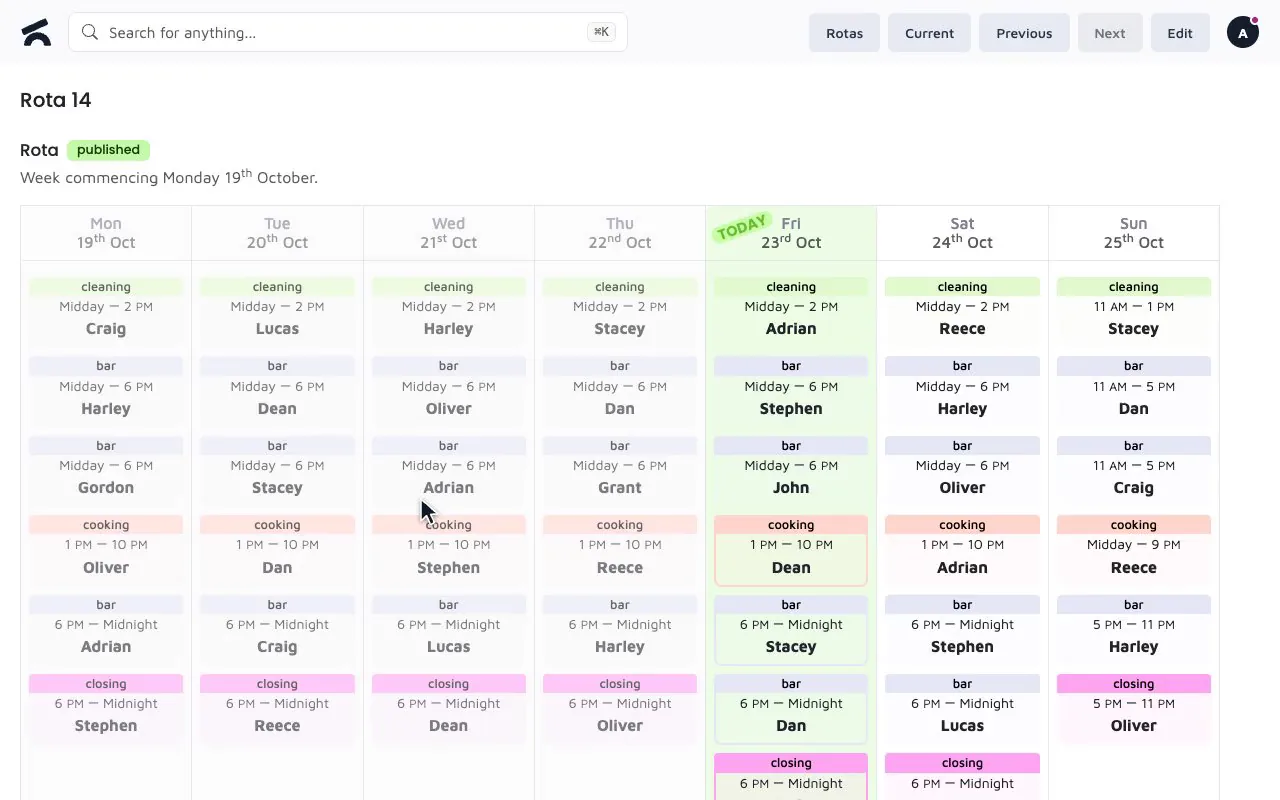
Rotas, holidays and training in one place

Templates and shift types, holiday requests with blocked periods, and training signed off with a manager's PIN.
Training

Who is trained on what

The problem: The certificates are in a folder, the folder is in the office, and the inspector is at the bar.
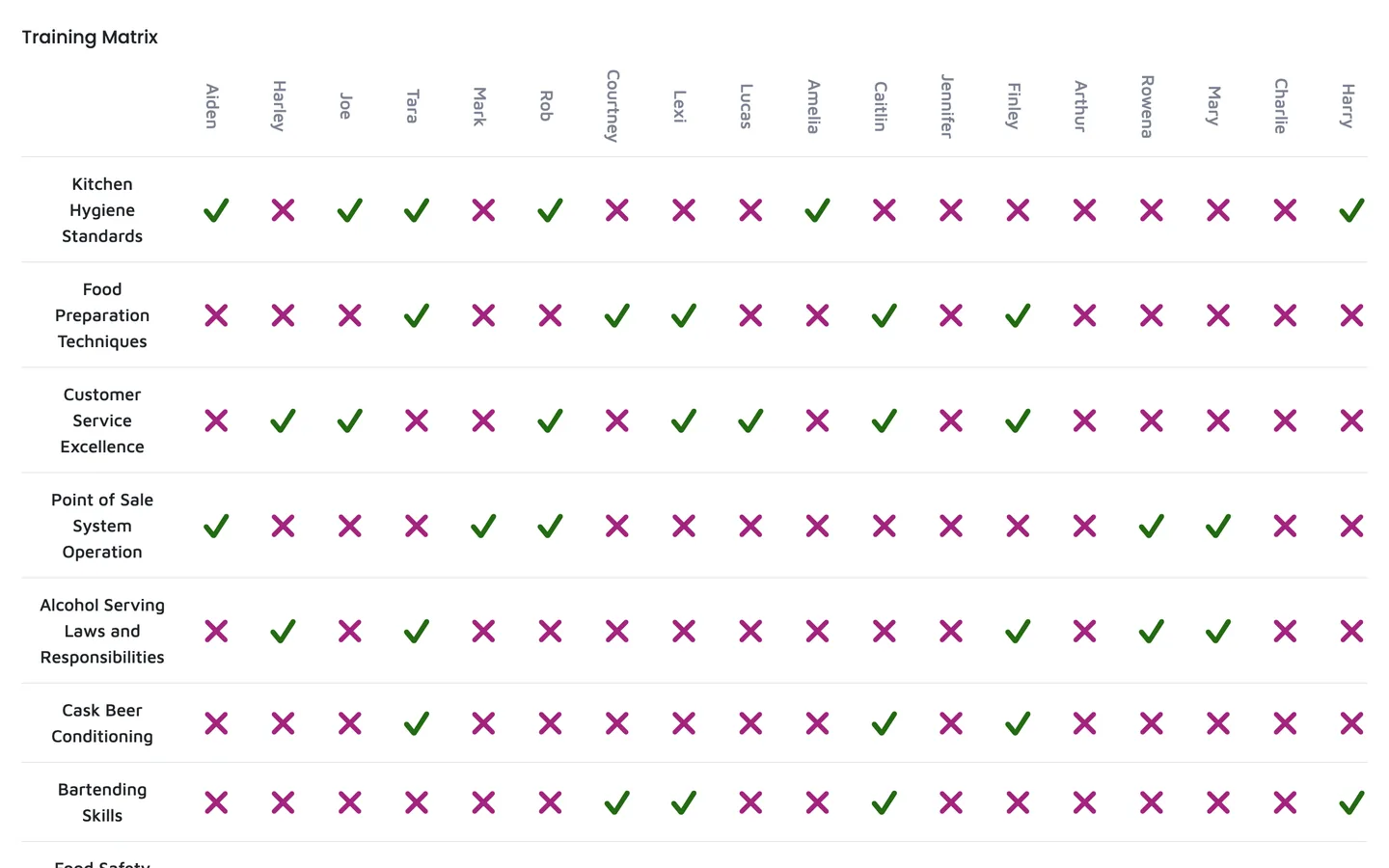
  • A matrix of staff against courses, green where it is signed off, with the date and who signed it.
  • Signed off with a manager's PIN, on any device, so the record is made where the training happens.
  • Your courses, not a fixed list: allergens, cellar, licensing, first aid, whatever your trade needs.

Key Capabilities

The staff side of the business
1
Build the rota
Start from a saved template, adjust the shifts, and staff see the week on any device.
2
Approve holiday on the move
Block peak periods with a reason employees can see; approve inside a blocked period when you need to.
3
Keep the records inspectors ask for
Training sign-offs, task completions with photos and a log of who changed what.

Frequently Asked Questions

Can staff view their rotas online?

Yes. Staff log in from any device and see their shifts. Rotas are built from templates with the shift types you define, so the week takes minutes rather than an evening.

Does Omni Tend handle holiday requests?

Yes. Staff request holiday from their phone and managers approve or decline it. Managers can block periods such as peak trading dates; staff see the reason if they try to book inside one, and a manager can still approve it when there is a good reason.

Related features

Task Tracking
Recurring checks by business unit with photo evidence and backdated sign-off
Learn more >
Reporting
Sales totals, sell-through with dead stock flagged, staff sales, Z-reports and a daily email
Learn more >
ePOS
A till for any device: tables, split bills, phone orders and PIN-approved refunds
Learn more >

See the rota on a phone

That is where your staff will use it.